I ported Slay the Spire 2 to iOS (I typed, Claude ported)
My copy of Slay the Spire 2 now runs on an iPhone and runs better on my Android tablet. I would love to tell you I engineered this. What I actually did was own the game, own the devices, type requests like “can you make an apk release on my fork” into Claude Code, and paste Steam Guard codes into GitHub issues. Claude wrote the code. I’m told this is called “leadership”.
For context, I play Silent for the shivs and Ironclad for the brute force. This project needed both decks, and I mostly brought the Ironclad one.
This post covers what got built, whose work it stands on, and what still doesn’t work.
Whose code this is
Most of the hard work isn’t mine. Not even Claude’s.
| Project | What it is |
|---|---|
| Ekyso/StS2-Launcher | The original Android launcher: the PC game’s .NET code running on Android, adapted with Harmony runtime patches |
| iunius612/StS2-Launcher_Mod_Manager | A fork of that with Steam Workshop mods, a Save Manager, cloud-save fixes and a lot of mobile polish |
| bhanuharya/sts-2-launcher-mobile | My fork of iunius612’s: an Android performance build and an iOS port |
The Android launcher itself is iunius612’s code, unchanged. If it logs you into Steam, downloads the game, or loads your mods on Android, thank them. My fork adds two things on top, and “my” is doing a lot of work in that sentence.
Division of labour
For transparency:
| Task | Me | Claude |
|---|---|---|
| Owning the game on Steam | ✓ | |
| Owning a Xiaomi Pad 5 and an iPhone | ✓ | |
| Reading Godot’s engine source to work out how its iOS export really works | ✓ | |
| Writing a binary Android manifest editor | ✓ | |
| Patching the game’s compiled code with Mono.Cecil | ✓ | |
| Writing a Steam downloader on SteamKit2 | ✓ | |
| Saying “the graphic become much worse” | ✓ | |
| Typing Steam Guard codes into a GitHub issue | ✓ | |
| Tapping Approve right after being told not to | ✓ | |
| Playing Silent: a hundred small, precise patches | ✓ | |
| Playing Ironclad: pressing Run workflow again to see what dies | ✓ |
A second Claude session drove adb on the tablet to run benchmarks. I relayed messages between the two like a very slow clipboard.
Android: my tablet was the problem
The Pad 5 has a 2560×1600 120 Hz screen and a Snapdragon 860. The game ran, but it felt choppy. The first guess was that the GPU couldn’t keep up, so the first fix was a “fast mode” that rendered at a lower resolution. That’s the Ironclad answer: hit the problem as hard as you can. It made the game look much worse and barely helped. The tablet-side measurements showed why: the fast mode kept the GPU at about 91% busy. Android’s own Game Mode downscaling was cheaper, at 74–80%.
The real culprit was boring: the game’s own 30 fps cap. On a 120 Hz panel its frames landed unevenly, and that reads as choppy. A 60 fps cap with vsync on, and the display at 60 Hz, was smooth with the GPU at mid clock.
The fix that worked was a Silent deck: no single big card, just a lot of small ones that add up. That became StS2 Launcher Perf, a build of upstream’s release APK with an add-on:
- A Perf settings panel: FPS cap, vsync, particle amount, render resolution, full-screen effects, and a frame-time log. The defaults change nothing.
- Settings live in a text file the app re-reads every 2 seconds, so the benchmarking session could switch settings over adb mid-fight.
- The launcher’s Korean-only dialogs translated to English, 243 text fragments in all.
- Its own package name, so it installs next to the original.
There’s no engine rebuild. A GitHub Actions workflow downloads upstream’s APK and checks its hash. It patches one DLL to load the add-on, edits the binary manifest, and re-signs the result. Four releases so far. The first one taught us that Assembly.Location is an empty string when the launcher loads a DLL from memory, so the add-on tried to load itself from /STS2Perf.dll. Apparently “that’s where I’d be if I existed” isn’t a valid path.
iOS: no JIT, no Mac
The Android launcher can’t just be recompiled for iOS. It runs the game’s code on a JIT and patches it while it runs, and iOS doesn’t allow JIT for sideloaded apps. So the iOS port turns everything inside out:
- The game’s
sts2.dllis patched at build time with Mono.Cecil, with the same fixes the Android launcher applies at runtime: skip Steam’s own startup, skip crash reporting, and a few platform guards. - All of it is compiled to native ARM64 with .NET NativeAOT, through Godot 4.5.1’s iOS export.
- A small native extension mounts
SlayTheSpire2.pckfrom the app’s Documents folder at startup and checks it matches the build. You copy that file from your own Steam install. The repo has no game files, and the build is only uploaded inside an encrypted zip.
I don’t own a Mac, so all of this runs on GitHub’s macOS runners, which are free for public repos. Before touching the real game, the pipeline ran against a fake game: a tiny Godot project shaped like Slay the Spire 2, with the same class names, a fake Steam, and a fake pck. That caught most of the mistakes early. It didn’t catch all of them, which is what fake games are for.
Steam doesn’t trust London
To compile the game’s code, the build machine needs the game’s DLLs, so it logs into Steam as me. Steam sent the approval prompt to my phone. I approved it, and got this:
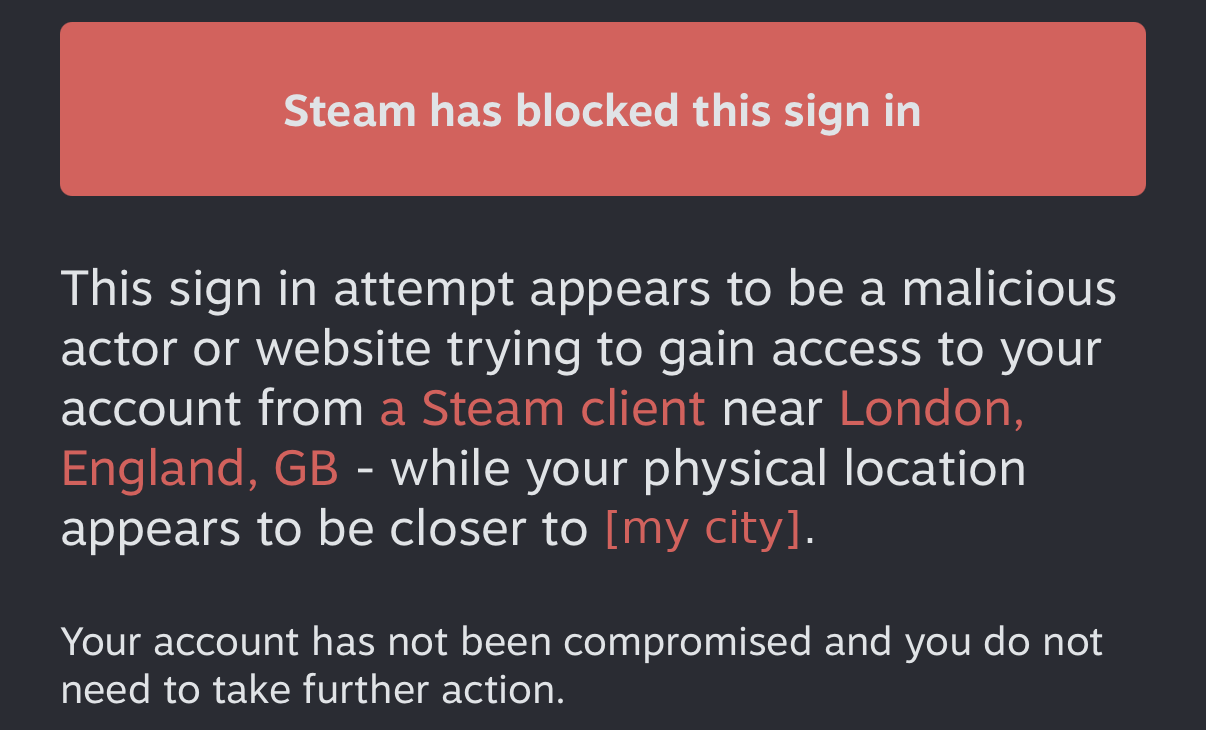
Fair. A server in London asking for my account while I’m on another continent does look like a malicious actor. The usual fix is to log in once on your own PC and give the build a saved token. That’s when I found out I no longer own a Windows PC.
What Claude built instead:
- The build opens a GitHub issue that @mentions me and waits.
- I reply with the 5-character code from the Steam app’s Steam Guard tab.
- The build checks the issue every 2 seconds, which is as close as CI gets to a shiv build: small, fast, and a lot of them. It reads only my replies, deletes each one, signs in, and closes the issue.
My strategy for getting it working was pure Ironclad: press Run workflow, see what breaks, press it again. It took three runs:
- Run 8: the sign-in prompt popped up again, this time from San Francisco, and I tapped Approve after being told specifically not to. That turned out not to matter. What did matter: my code arrived after about 3 minutes, and Steam had already dropped the connection, because it closes connections that haven’t signed in within about a minute. Fix: wait for the code with no connection open, then connect and send it within seconds.
- Run 10: while a sign-in is pending, the Steam app shows its Approve/Deny screen on top of the code, so I couldn’t read it. I tapped Deny to get it out of the way, sent the code, and the sign-in worked. Then the patcher failed on the real
sts2.dll: it couldn’t findGodotSharp.dll, which the game’s[Export(PropertyHint.Range, ...)]attributes refer to. The fake game had no such attribute. It has one now. Also fixed: the build now asks for the code before it starts any sign-in, so nothing covers it. - Run 13: signed in, downloaded about 1.9 GB of depot files, patched, compiled, and produced a 52 MB
StS2.ipain about 14 minutes.
Installing it
The week I tried this, SideStore failed to sign in to my Apple ID with error -80045. According to its issue tracker, everyone was getting the same. Sideloadly on a PC with Apple’s iTunes and iCloud still worked. The app opened to this:
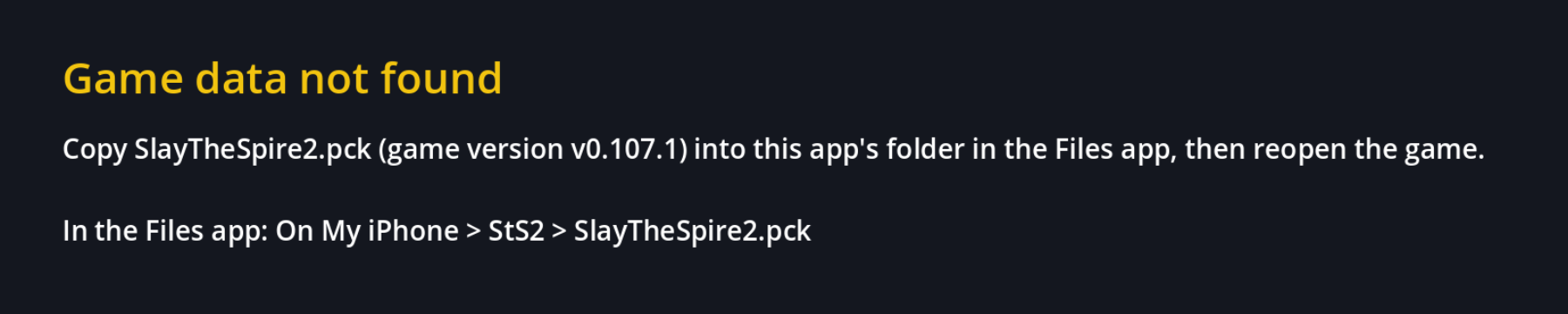
After a day of builds, a screen that correctly complains about a missing file is the best thing I’d seen. I copied the pck over, and the game started:
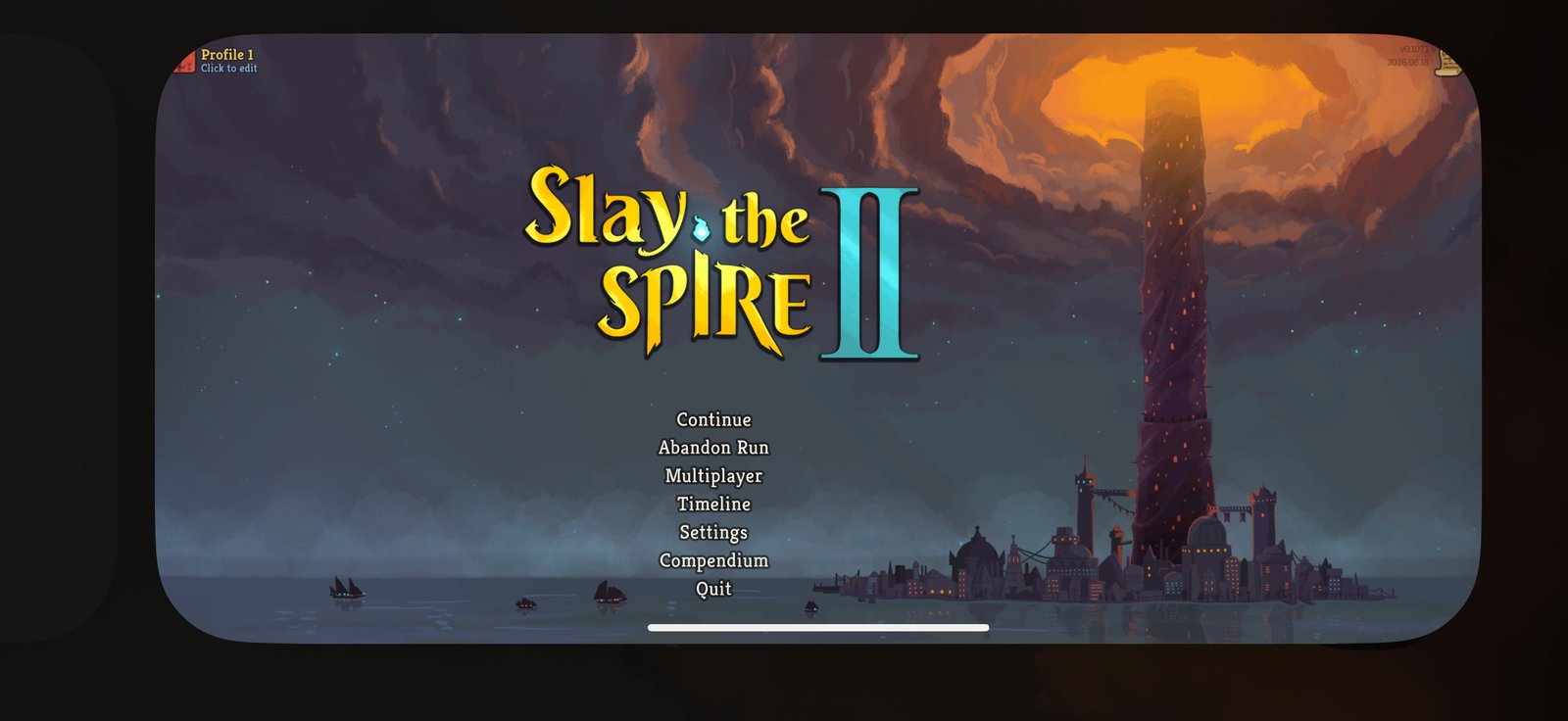
The version in the top-right corner is v0.107.1, the same as the build, so the app’s version check agreed with the pck.
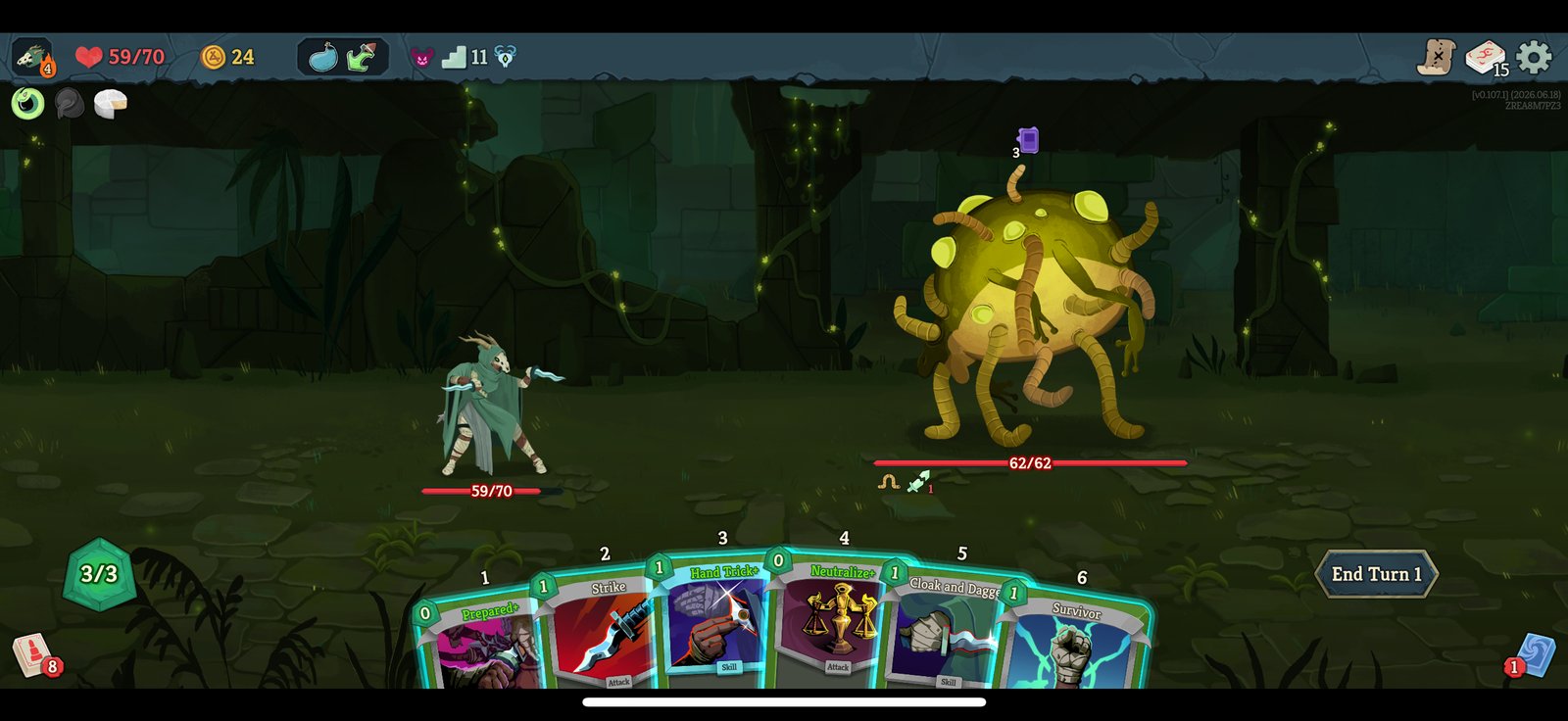
And of course the first fight was Silent, with Cloak and Dagger in hand. Shivs on iOS, compiled ahead of time:
One more honest note. Before the real game, Claude built a tiny test app to check the toolchain on my phone. It closed right after the Godot splash. The real game, which is far bigger, did not. Nobody has gone back to find out why.
What doesn’t work yet
- Short freezes. Every so often the game stops for a moment and then carries on. As Ironclad, I barely notice. Halfway through playing nine shivs, I notice. The next build logs every frame over 100 ms with what happened during it: pipeline compiles, texture loads, or .NET garbage collection.
- No Steam. No cloud saves or achievements; saves get copied by hand between PC and phone.
- No mods. Mods are compiled code, and iOS won’t load new code.
- Every 7 days the free Apple ID signature expires and the app needs re-signing.
- Every game update needs a new build and a reinstall, for the same no-new-code reason.
Steam login with cloud saves inside the iOS app is possible. The Android launcher already does it with SteamKit2, a plain .NET library, so that’s next on the list after the freezes.
What I learned
Measure before fixing
The first Android fix made the game uglier without making it faster. A frame-time log and a GPU busy percentage would have saved a release.
Fake inputs find most bugs, real inputs find the rest
The fake game caught nearly everything before a single Steam login. The real game then found exactly one thing the fake game didn’t have.
Some bugs need Bash, most need shivs
Rerunning a build is the Ironclad approach, and it worked more often than it should have. The bugs that mattered, the Steam timeout and the missing GodotSharp, needed the Silent approach: a small, precise fix in exactly the right place.
Read the prompt before tapping Approve
Applies to Steam. Also to AI agents.
The code is at bhanuharya/sts-2-launcher-mobile. If you own the game and have a Windows PC or a Mac, the README walks through the iOS build. If you don’t own the game, none of this helps you, by design.
One last thing. Mega Crit has said an official mobile version of Slay the Spire 2 is coming “at some point”, just not during Early Access. Theirs will be better than mine: no GitHub issue full of Steam Guard codes, no re-signing every 7 days, and probably cloud saves. When it ships, I’ll happily buy it again. I just couldn’t wait. “At some point” is a lot longer than “one more run”, and I’ve been on one more run since June.
Now if you’ll excuse me, I have a Silent run to lose on a six-inch screen.